Tag: Laser Engraving

Learn Laser Engraving from the Comfort of Your Home

Learn Laser Engraving from the Comfort of Your Home

→ Learn laser engraving from anywhere, at your own pace, with our easy-to-follow online courses that guide you step by step and help you build real skills you can use right away.

Mastering laser engraving has never been easier. With SA Laser’s online learning platform and Flash Fiber and CO2 laser training, you can gain real skills at your own pace, from the comfort of your own home. The platform provides structured instruction, hands-on exercises, and expert guidance designed to help you succeed, all while connecting with a community of fellow laser enthusiasts who share tips, projects, and encouragement.

Online learning gives you flexibility and efficiency that traditional classes cannot match. Lessons are broken into short, easy-to-follow videos, so you can absorb the material without feeling overwhelmed. You can revisit any lesson as often as needed and immediately apply new techniques on your own laser system.

If you’re looking for a place to learn laser engraving while connecting with other engravers, our online learning platform was built exactly for you. It gives you a space to explore new techniques, improve your engraving skills, and understand your machine with clarity. You get the benefit of guided learning while still working from home, and the added support of other learners who share your passion. This combination makes the entire learning process feel natural, organized, and approachable for anyone ready to grow.

Expert Instruction You Can Trust

Every course is taught by instructors with real experience in CO2 and Fiber laser systems. You learn practical skills that make an immediate difference in the quality of your engraving. Lessons walk you through settings, techniques, troubleshooting, and project setup in a way that feels organized and intentional. Students often mention how quickly they gain confidence because the instruction is clear, direct, and rooted in real engraving workflows. This level of detail is especially valuable for beginners who want reliable laser engraving guidance instead of guessing which settings to use.

These courses are built to help you avoid mistakes, understand why certain results happen, and work smarter with your machine. You get to learn in a way that supports your schedule and progress. With consistent explanations, visual demonstrations, and real life examples, you develop a deeper understanding of how CO2 and Fiber lasers behave on different materials. This helps you improve your technique, solve problems faster, and create cleaner, more professional engravings.

Comprehensive Courses for Every Laser System

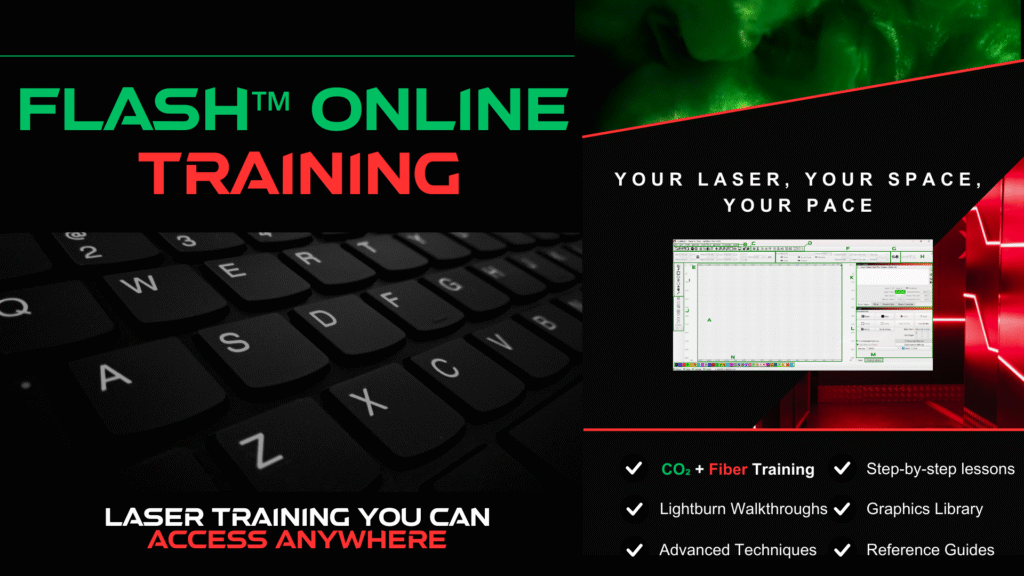
On our LaserHeads platform, you’ll find full CO2 laser courses, Fiber laser courses, and complete LightBurn training. Everything is broken down into modules that guide you from foundational skills to more advanced engraving techniques. You can learn LightBurn layout tools, material testing, engraving presets, file preparation, and settings optimization in a way that makes sense even if you have never used design software before.

Every course includes:

The combination of expert guidance, hands on practice, and a connected learning environment helps you build skills that lead to consistent, professional results. You’ll learn settings, materials, layout, focus, project organization, and complete engraving workflows you can use right away. The courses are structured to teach you how to develop repeatable results, improve your engraving clarity, and understand why each adjustment matters. Over time, these methods help reduce material waste, cut down your trial and error process, and increase your overall confidence with your laser system.

In-Person Training Options

If you want something more immersive, SA Laser offers a five day in person Spark™ training experience at our facility in San Antonio, Texas. This course gives you direct feedback, live demonstrations, and guided practice time that helps you grow faster. It covers machine setup, material handling, engraving techniques, software skills, and workflow strategy in a way that accelerates your confidence and your results. The in person experience allows you to work closely with instructors, see how different techniques behave in real time, and ask questions as they come up.

Why Choose SA Laser Training

Your success is the heart of every course. These lessons are designed to help you apply new techniques quickly, understand your machine fully, and learn without feeling overwhelmed. You get the benefit of expert instruction, structured learning, and the support of a community that celebrates your progress with you. It creates a learning environment that feels encouraging, productive, and genuinely enjoyable. Each course is made to help beginners build confidence and give experienced users a clearer understanding of advanced engraving techniques, all with practical examples you can use right away.

These courses help you elevate your craft, grow your business, improve your workflow, and feel confident in every project you start. With a mixture of video training, hands on materials, LightBurn instruction, and community support, you build the kind of long term knowledge that improves both creativity and production quality.

Why Choose SA Laser Training

Experience the convenience, clarity, and community of SA Laser’s online learning platform. Explore the courses, watch previews, and start learning at your own pace with support that stays with you. You get a full library of laser engraving education designed to help you improve step by step and grow steadily.

Visit learn.salasers.com to see our full course offerings and begin your journey.

read more

Laser Engraving 101: How to Choose a Laser Engraver

Laser Engraving 101: What Beginners Need to Know to Pick the Best Laser Engraver

Laser engraving is revolutionizing how small businesses, hobbyists, and creators customize products and add professional-quality detail. If you’re new to laser engraving and wondering how to choose the right laser engraving machine, this guide breaks down everything you need to know, from understanding laser types to selecting the best beginner laser engraver for your projects.

What Is Laser Engraving?

Laser engraving uses a focused laser beam to remove material from surfaces such as wood, acrylic, leather, glass, and metal, creating permanent marks, designs, and textures. Unlike traditional mechanical engraving, laser engraving is contactless, which means cleaner lines, finer details, and no tool wear. Most laser machines today offer both engraving and cutting capabilities, with adjustments in power and speed depending on your material and design.

Laser Engraving Basics

To choose the best laser engraver for your needs start by understanding key settings like power, speed, and resolution and how they affect your projects and materials. Taking the time to learn how these settings work will help you select a machine that delivers the results you want every single time.

Power: Look for a machine with adjustable power output. Beginners often benefit from 40 to 60 watts in CO₂ lasers to handle a wide variety of materials. Power affects how deep the laser cuts or engraves — too little won’t mark well, too much can damage delicate materials.

Speed: Speed controls how fast the laser head moves over your workpiece. Slower speeds increase engraving depth and detail but take longer. A machine with flexible speed settings lets you fine-tune for each material and design complexity.

Resolution (DPI): Resolution impacts engraving detail, especially in photos and shaded images. Higher DPI means sharper, finer engraving but slower processing times. For basic text or logos, lower DPI is sufficient and faster.


CO₂ vs Fiber Laser: Which Laser Engraver Is Right for You?

Choosing between a CO₂ laser and a fiber laser is one of the most important decisions when buying a laser engraving machine.

CO₂ Laser Engravers

Versatile and Affordable for Beginners & Small Businesses
CO₂ Laser Engravers operate at a wavelength near 10,600 nm and are ideal for engraving and cutting organic materials like wood, acrylic, leather, glass, and coated metals. They offer versatile, affordable engraving with moderate maintenance needs and reliable performance. CO₂ lasers are popular among beginners and small businesses for a wide range of applications.

Fiber Laser Engravers

Fast, Precise Marking for Metal, Firearms & Industrial Use
Fiber Laser Engravers use a wavelength near 1,064 nm and are optimized for marking bare metals such as aluminum, stainless steel, brass, and coated plastics. Fiber lasers offer fast, precise engraving and require less maintenance but come with a higher upfront investment. They are ideal for industrial applications, serial number marking, and metal part engraving.

For the best beginner laser engraver, CO₂ machines provide the greatest flexibility and ease of use. Fiber lasers serve professionals focused on metalwork and high-volume production.

Key Features to Look for in a Laser Engraver

Work Area (Bed Size):

Match your typical project size, small (12×8 in) for jewelry and small crafts, medium (24×18 in) for signs and trophies, or large (48×36 in+) for batch production and large-format cutting.

For beginners, a 40 to 60 watt CO₂ laser is ideal for cutting and engraving a wide range of materials. Fiber lasers usually range 20 to 50 watts for metal marking.

Choose machines compatible with popular laser software like LightBurn or RDWorks, which support vector and raster file formats (SVG, DXF, AI, JPG, PNG).

 Look for interlocks, emergency stops, and exhaust ports or filtration systems to manage fumes safely.

Choose machines compatible with popular laser software like LightBurn or EZCAD2, which support vector and raster file formats such as SVG, DXF, AI, JPG, and PNG. At SA Laser, our SPARK Laser Training provides expert instruction on both fiber and co2 laser operation and software use, including detailed lessons on LightBurn. This course is designed to build your confidence and skillset from the ground up, helping you achieve great results with your laser machine.

Preparing Artwork for Laser Engraving

Before you start engraving, your artwork needs to be properly prepared. Laser machines follow exact paths and tones in your design, so getting the setup right is key to clean, accurate results.

Vector vs. Raster Files

    • Vector files (like SVG or DXF) are made of lines and shapes, perfect for cutting and scoring. Use thin lines (0.001″ stroke) to signal cut lines, and color-code layers — for example, red for cutting and blue for engraving.

    • Raster files (like JPG or PNG) are best for photos or detailed shading. Convert your image to grayscale, adjust contrast, and apply a dithering method like Jarvis or Floyd–Steinberg to get smoother tones.

Basic Techniques

    • Use alignment boxes or marks to position your artwork accurately on irregular items like tumblers or wood slabs.

    • Reverse engraving (where the background is engraved and the design is left untouched) can make text or logos stand out on darker materials.

    • For detailed raster engraving, stick to 250–300 DPI for clear image reproduction.

    • Always match your file’s dimensions to your machine’s bed size to avoid off-center jobs.

LightBurn is a great program for managing both vector and raster layers. It lets you assign different power and speed settings to each color-coded section for full control over your design.

Popular Materials for Laser Engraving

Basic Maintenance and Safety Tips

Regular cleaning of lenses and mirrors with isopropyl alcohol ensures consistent beam quality. Lubricate machine rails and bearings every 20 to 30 hours of use. Always ventilate fumes outdoors or use filtration systems, and never leave a running laser unattended.

Why SA Laser?

At SA Laser, we provide not just machines but a complete solution including expert training, comprehensive support, and community resources. Our turnkey laser systems come with two-year warranties, personalized Spark Training classes, and lifetime access to our online community where you can connect with top engravers nationwide.

Whether you’re buying your first laser engraver or scaling your business, SA Laser delivers quality machines, trusted expertise, and unmatched customer care.

read more
How to Start a Laser Engraving Business Your Ultimate Guide

How to Start a Laser Engraving Business Your Ultimate Guide

How to Start a Laser Engraving Business Your Ultimate Guide

How to Start a Laser Engraving Business: Your Ultimate Guide

If you’re looking to tap into the booming world of custom products, learning how to start a laser engraving business is a smart move. With the right approach, laser engraving can be a profitable venture, catering to a wide range of industries from personalized gifts to industrial marking. In this guide, we’ll walk you through every step of starting your own laser engraving business, from equipment choices to marketing strategies.

Why Start a Laser Engraving Business?

The laser engraving industry has experienced significant growth over the past few years, driven by the demand for personalized products and high-precision marking. Here are some compelling reasons to start a laser engraving business:

  • Low Start-Up Costs: You don’t need a massive investment to start. Basic laser engraving machines can be affordable, and with proper planning, you can scale as your business grows.
  • Diverse Market Opportunities: From customized gifts and jewelry to industrial parts, the applications of laser engraving are endless.
  • High Profit Margins: With a relatively low cost of materials, you can enjoy a healthy profit margin on each project.
  • Flexibility: Whether you want to operate full-time or as a side hustle, laser engraving offers flexibility in work hours and scale.

Step 1: Research the Market and Define Your Niche

Before diving into any business, it’s essential to understand the market. Conduct thorough research on your local and online competition. Identify what products and services are in demand. Common niches include:

  • Personalized gifts (wedding items, baby gifts, etc.)
  • Corporate branding (customized office supplies, awards)
  • Industrial engraving (machine parts, tools)
  • Custom signage (indoor and outdoor signs)

Defining a niche will help you focus your efforts, target the right audience, and establish your brand identity.

Step 2: Invest in the Right Equipment

The heart of your laser engraving business is the laser engraver itself. There are several types of laser engravers, each with its advantages:

  • CO2 Laser Engravers: Ideal for engraving non-metal materials like wood, acrylic, leather, and glass. These are perfect for beginners and are versatile enough for most common applications. See Product!
  • Fiber Laser Engravers: Best for engraving metals and industrial applications. These machines are more expensive but offer high precision for specialized projects. See Product!
  • Diode Laser Engravers: A more affordable option, suitable for hobbyists and small-scale projects. However, they may not provide the power or precision needed for professional-grade work.

When choosing your equipment, consider factors such as your niche, the materials you plan to work with, and your budget. Don’t forget to account for additional tools, such as air filtration systems and software for designing your engravings.

Step 3: Set Up Your Workspace

Your workspace is crucial for productivity and safety. Whether you’re working from home or renting a space, ensure you have:

  • Adequate ventilation: Laser engraving can produce fumes, so a good ventilation system is essential.
  • Proper lighting: Good lighting helps with precision and reduces eye strain.
  • Safety equipment: Invest in safety glasses, fire extinguishers, and protective gear as needed.

Organize your workspace to maximize efficiency. Create designated areas for design, production, packaging, and storage.

Step 4: Learn the Craft and Master the Software

Before you start offering services, take the time to learn and perfect your craft. Many laser engravers come with their own software, but you might want to invest in professional design software like Adobe Illustrator, CorelDRAW, or AutoCAD. These programs offer more advanced features and can help you create intricate designs that stand out.

Experiment with different materials and techniques. Practice makes perfect, and the more skilled you become, the more satisfied your customers will be.

Step 5: Build Your Brand and Create a Business Plan

Your brand is more than just a logo or a name—it’s the story and values that connect with your customers. Start by choosing a memorable business name, designing a professional logo, and creating a strong online presence.

A well-thought-out business plan is essential for guiding your growth. Include details like:

  • Target market: Who are your ideal customers? What are their needs?
  • Services offered: What types of engraving will you specialize in?
  • Pricing structure: Consider your costs, competitors’ pricing, and your target profit margin.
  • Marketing strategies: How will you attract and retain customers?
  • Financial projections: Estimate your start-up costs, monthly expenses, and revenue goals.

Step 6: Launch Your Marketing Strategy

Your marketing strategy is key to attracting customers and growing your business. Here are some effective tactics to consider:

  • Build a Website: Your website is your online storefront. Optimize it for search engines (SEO) with relevant keywords like “laser engraving services,” “custom engraved products,” and “personalized gifts.”
  • Leverage Social Media: Platforms like Instagram, Facebook, and Pinterest are perfect for showcasing your work and reaching a larger audience. Share high-quality images of your projects, behind-the-scenes content, and customer testimonials.
  • Offer Promotions: Launch with special deals or discounts to attract your first customers. Referral programs can also incentivize satisfied customers to spread the word.
  • Attend Trade Shows and Markets: Local events are a great way to network, showcase your products, and meet potential customers face-to-face.
  • Utilize Online Marketplaces: Etsy, eBay, and Amazon Handmade can help you reach a global audience. Be sure to optimize your product listings with relevant keywords to rank higher in search results.

Step 7: Focus on Quality and Customer Service

The quality of your work and the level of customer service you provide will determine your reputation in the market. Pay attention to detail, meet deadlines, and always strive to exceed customer expectations. Positive reviews and word-of-mouth referrals can be your most powerful marketing tools.

Step 8: Scale Your Business

Once you’ve established a steady stream of customers, consider scaling your business. This could involve investing in more advanced equipment, expanding your product line, or hiring additional staff. Keep an eye on industry trends and continuously innovate to stay ahead of the competition.

Common Challenges and How to Overcome Them

Starting a laser engraving business isn’t without its challenges. Here are some common obstacles and how to overcome them:

  • High Competition: Differentiate yourself by offering unique products, superior customer service, and competitive pricing.
  • Technical Difficulties: Stay updated with your equipment’s maintenance and software updates. Consider enrolling in advanced training programs.
  • Marketing Struggles: If you’re not seeing the desired results from your marketing efforts, consider hiring a professional or taking courses in digital marketing and SEO.

Conclusion: Start Your Laser Engraving Business Today

Starting a laser engraving business can be a rewarding and profitable venture if you approach it with the right mindset and strategy. By investing in quality equipment, mastering your craft, and building a strong brand, you’ll be well on your way to success. Remember, the key to thriving in this industry is continuous learning, innovation, and customer satisfaction.

Ready to start your laser engraving business? Follow the steps in this guide, and you’ll be equipped with the knowledge and tools to carve out your niche in this exciting industry.
read more

Contact Us